IAM
IAM


- Documentation
 IAMUser GuideIdentitiesSingle Sign-onUser SSOUser SSO based on OauthSingle sign-on configuration based on Oauth 2.0
 Copy page
 Download PDFCopy pageDownload PDF
Volcano Engine supports complete authorization using the standard Oauth 2.0 protocol for single sign-on. OAuth 2.0 only supports user SSO.
| Concept | Explianin |
|---|---|
| Authorization Endpoint | Https URL, an end point provided by an Identity Provider (IDP) to obtain authorization, through which the user will authenticate when visiting |
Access Token | An access token issued by an Identity Provider (IDP), through which a user's information is accessed and the scope of authorization is used to implement SSO. The OAuth 2.0 protocol supports the use of authorization code, license type (Authorization Code), implicit license type (Implicit) and other methods to obtain. Volcano Engine SSO only supports the use of authorization codes in exchange |
| Application client ID | In an identity provider system that supports OAuth 2.0, it is necessary to register the application and generate an application client side ID (Client ID). When accessing the authorization endpoint, the application ID and key need to be matched for verification. |
| Callback URL | Produced by the service provider (SP) and configured into the identity provider system. After the user completes the authorization in the OAuth 2.0 process, the authorization code needs to be pushed through the callback url. |
Scope | Scope is a mechanism in OAuth 2.0 that restricts the scope of an application's access to user information using access tokens. At the time of authorization, the user can accept the scope of the request, and the access will only be able to access the data scope accepted by the user. |
| User Information Endpoint | Since OAuth 2.0 itself is an authorization protocol, it does not have the ability to authenticate. In order to complete the SSO, the user's information is obtained through the user information endpoint provided by the identity provider system, which is used to match with the Volcano Engine IAM user. |
The process for configuring SSO based on OAuth 2.0 is as follows:
- Register the application in the enterprise's identity provider system and obtain the client side ID of the application.
- In Volcano Engine, create an identity provider to pair with the enterprise's system, select OAuth 2.0 as the protocol type, and configure endpoint information and user mapping rules.
- The Volcano Engine generates a callback address that is backfilled into the enterprise's identity provider system.
- The standard OAuth 2.0 protocol is used to issue tokens, obtain identity information, and implement SSO through user mapping rules.
Register an app
Register applications for access to Volcano Engine as required by the identity provider system within the enterprise. Gets the client side ID and endpoint information for the application.
Create a paired identity provider in Volcano Engine
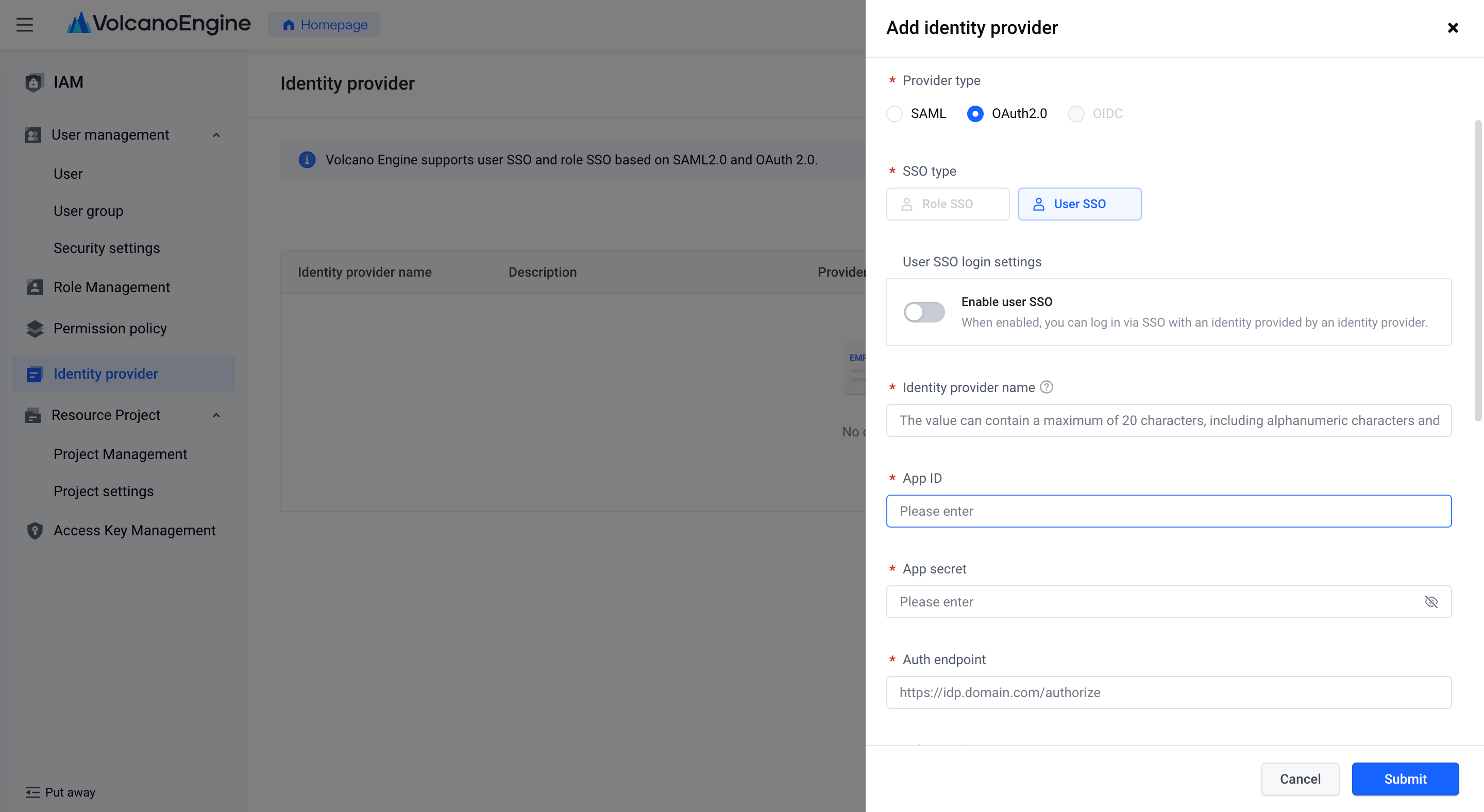
Enter the Identity Provider page of "Access Control", click the "New Identity Provider" button, and select OAuth 2.0 as the identity provider type in the pop-up window.
Fill in the application ID, app secret, authorization endpoint, Token endpoint, Scope, user information endpoint and authorization link template obtained from the enterprise identity provider system in the pop-up window. The parameter format of the authorized link template may vary according to different identity provider systems. Volcano Engine, as a service provider, needs to use the format of the link template to request the IDP to send code. This is an example of an authorization link: https://idp.domain.com/authorize?client_id=xxxxx&response_type=code&redirect _uri = https% 3A% 2F% 2Fconsole-signin.volcengine.com %2Foauth%2Fsso%2F72050488121243243 & scope = profile & state = 12345
In the template, the $ {authEndpoint}, ${clientId}, ${scope} parameters will be replaced by the authorization endpoint, application ID, and Scope authorization scope filled in.
Note: To ensure security, Volcano Engine only supports the authorization code mode of code, and does not support the authorization code mode of directly passing tokens.
To set the user mapping rules, you can choose the name of the IAM user or the secure mobile phone to set, and fill in the corresponding attributes obtained through the user information endpoint. The information fields that support users are complex JSON structures, such as userinfo.userid, which represents the userid attribute under userinfo.
Click Submit to complete the creation.
After submitting the identity provider, click on the identity provider name, you can check the callback address on the details page, and backfill it into the application corresponding to the enterprise identity provider system.
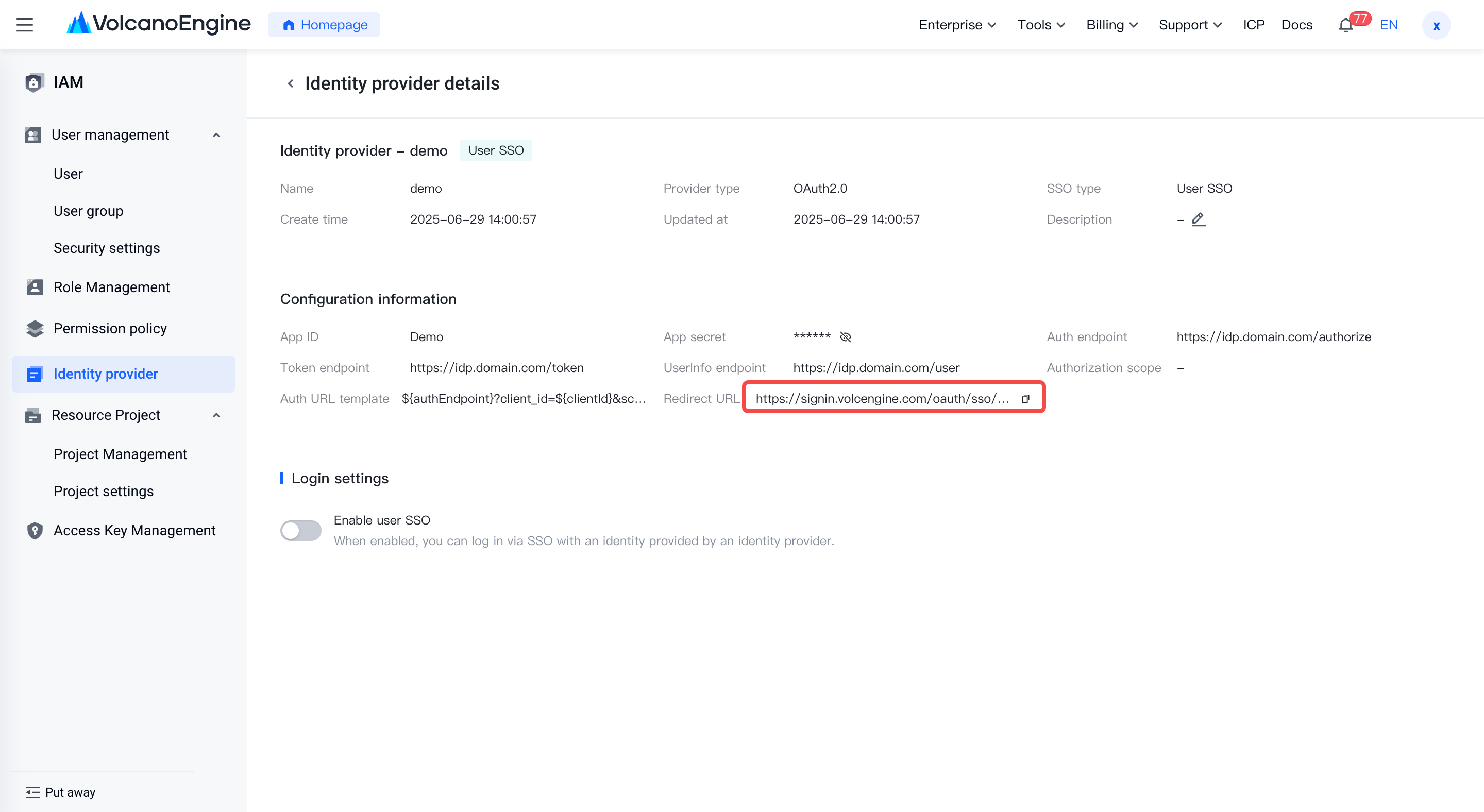
Click to enable user SSO, and you can choose whether to disable other login methods at the same time. At this point, SSO login can be done through the Volcano Engine "Enterprise Federated Login" portal, or by adding the Volcano Engine application access portal in the internal enterprise portal.
Taking the Feishu integration platform as an example, the entrance to access the Volcano Engine application is actually the authorization link: https://anycross.feishu.cn/sso/xxxxxx/oauth2/auth?client_id=xxxxx&scope=username&response_type=code&state=12345&edirect_uri=https://signin.volcengine.com/oauth/sso/xxxxx
Through this link, the login will be completed through the identity system within the enterprise. After verification, the authorization code will be returned to Volcano Engine through the callback address.
If the configured user information endpoints are available, the user information and the configured mapping rules are mapped to an IAM user to enable SSO login. Therefore, you need to create an IAM user that needs to be logged in in Volcano Engine in advance and set up permissions.
Creating an IAM user can be achieved through user management in access control, invoking Open API, or enabling user synchronization in the Enterprise Identity Center.
