
如何实现类似谷歌按钮的点击涟漪(Ripple Effect)动效?

2026-10-15
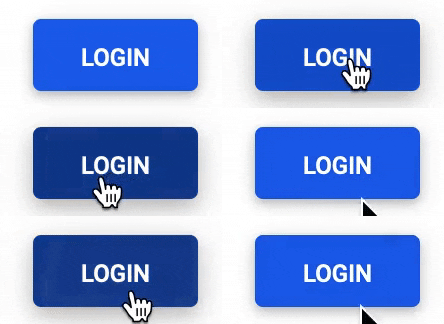
要实现这个涟漪效果,核心思路是监听按钮的点击事件,在点击坐标处动态生成一个半透明圆形元素,为其添加从中心点向外扩散同时逐渐消失的动画,动画执行完成后自动销毁该元素即可。
完整实现代码
HTML 部分
和你原有代码一致,无需额外修改:
<button>Login</button>
CSS 部分
在原有样式基础上补充涟漪相关的样式规则:
button {
  /* 新增规则,保证涟漪在按钮内部显示 */
  position: relative;
  overflow: hidden;
  /* 原有样式保留 */
  text-transform: uppercase;
  padding: 0.8em;
  width: 100px;
  background: #0053d9;
  color: #fff;
  border: none;
  border-radius: 5px;
  transition: all 0.2s;
  font-size: 15px;
  font-weight: 500;
}

button:hover {
  filter: brightness(80%);
  cursor: pointer;
}

button:active {
  transform: scale(0.92)
}

/* 涟漪元素基础样式 */
.ripple {
  position: absolute;
  border-radius: 50%;
  background-color: rgba(255, 255, 255, 0.6);
  animation: ripple-animation 0.6s ease-out;
  /* 避免涟漪拦截点击事件 */
  pointer-events: none;
}

/* 涟漪扩散动画 */
@keyframes ripple-animation {
  from {
    transform: translate(-50%, -50%) scale(0);
    opacity: 1;
  }
  to {
    transform: translate(-50%, -50%) scale(4);
    opacity: 0;
  }
}
JS 部分
添加点击事件的处理逻辑:
const button = document.querySelector('button');

button.addEventListener('click', (e) => {
  // 获取按钮在页面中的位置信息
  const btnRect = button.getBoundingClientRect();
  // 计算点击位置相对于按钮左上角的坐标
  const clickX = e.clientX - btnRect.left;
  const clickY = e.clientY - btnRect.top;

  // 创建涟漪元素
  const ripple = document.createElement('span');
  ripple.classList.add('ripple');
  // 设置涟漪圆心对准点击位置
  ripple.style.left = `${clickX}px`;
  ripple.style.top = `${clickY}px`;
  // 涟漪尺寸取按钮最长边,保证扩散后能覆盖整个按钮
  const rippleSize = Math.max(btnRect.width, btnRect.height);
  ripple.style.width = `${rippleSize}px`;
  ripple.style.height = `${rippleSize}px`;

  button.appendChild(ripple);

  // 动画结束后自动移除涟漪元素,避免DOM节点冗余
  ripple.addEventListener('animationend', () => {
    ripple.remove();
  });
});
内容的提问来源于stack exchange,提问作者user16262715
相关产品推荐
相关产品推荐


