
Outlook插件开发中Webpack配置的Tailwind CSS未生效问题

2026-7-21
Outlook插件集成Tailwind CSS无效果问题排查
问题描述
开发Outlook插件时尝试集成Tailwind CSS,运行npm run dev-server后,Tailwind CSS类无效果,DevTools中也看不到Tailwind样式变量,怀疑Tailwind未正确导入到CSS文件中。
配置信息
1. package.json scripts配置
"scripts": {
    "build": "webpack --mode production",
    "build:dev": "webpack --mode development",
    "dev-server": "webpack serve --mode development",
     ...
  },
2. webpack.config.js配置
const config = {
    devtool: "source-map",
    entry: {
      polyfill: ["core-js/stable", "regenerator-runtime/runtime"],
      vendor: ["react", "react-dom", "core-js", "@fluentui/react"],
      taskpane: ["react-hot-loader/patch", "./src/taskpane/index.tsx", "./src/taskpane/taskpane.html"],
      commands: "./src/commands/commands.ts",
    },
    output: {
      clean: true,
    },
    resolve: {
      extensions: [".ts", ".tsx", ".html", ".js"],
    },
    module: {
      rules: [
        {
          test: /\.css$/i,
          include: '/src',
          use: ['style-loader', 'css-loader', 'postcss-loader'],
        },
        {
          test: /\.ts$/,
          exclude: /node_modules/,
          use: {
            loader: "babel-loader",
            options: {
              presets: ["@babel/preset-typescript"],
            },
          },
        },
        {
          test: /\.tsx?$/,
          exclude: /node_modules/,
          use: ["react-hot-loader/webpack", "ts-loader"],
        },
        {
          test: /\.html$/,
          exclude: /node_modules/,
          use: "html-loader",
        },
        {
          test: /\.(png|jpg|jpeg|gif|ico)$/,
          type: "asset/resource",
          generator: {
            filename: "assets/[name][ext][query]",
          },
        },
      ],
    },
    plugins: [
      ...
      }),
      new HtmlWebpackPlugin({
        filename: "taskpane.html",
        template: "./src/taskpane/taskpane.html",
        chunks: ["taskpane", "vendor", "polyfills"],
      }),
      new HtmlWebpackPlugin({
        filename: "commands.html",
        template: "./src/commands/commands.html",
        chunks: ["commands"],
      }),
      new webpack.ProvidePlugin({
        Promise: ["es6-promise", "Promise"],
      }),
    ],
    devServer: {
      hot: true,
      headers: {
        "Access-Control-Allow-Origin": "*",
      },
      server: {
        type: "https",
        options: env.WEBPACK_BUILD || options.https !== undefined ? options.https : await getHttpsOptions(),
      },
      port: process.env.npm_package_config_dev_server_port || 3000,
    },
  };
3. postcss.config.js配置
const tailwindcss = require('tailwindcss');
module.exports = {
  plugins: [
    'postcss-preset-env',
    tailwindcss
  ],
};
4. tailwind.config.js配置
/** @type {import('tailwindcss').Config} */
module.exports = {
  content: ['./dist/*.html'],
    theme: {
    extend: {},
  },
  plugins: [],
};
5. CSS导入与Webpack生成代码
已在index.css中导入Tailwind:
@tailwind base;
@tailwind components;
@tailwind utilities;
Webpack在taskpane.html中生成的引入代码:
<link href="bd3fc3e614edb4896e6a.css" rel="stylesheet" />
<script defer="defer" src="vendor.js"></script>
<script defer="defer" src="taskpane.js"></script>
项目文件夹结构
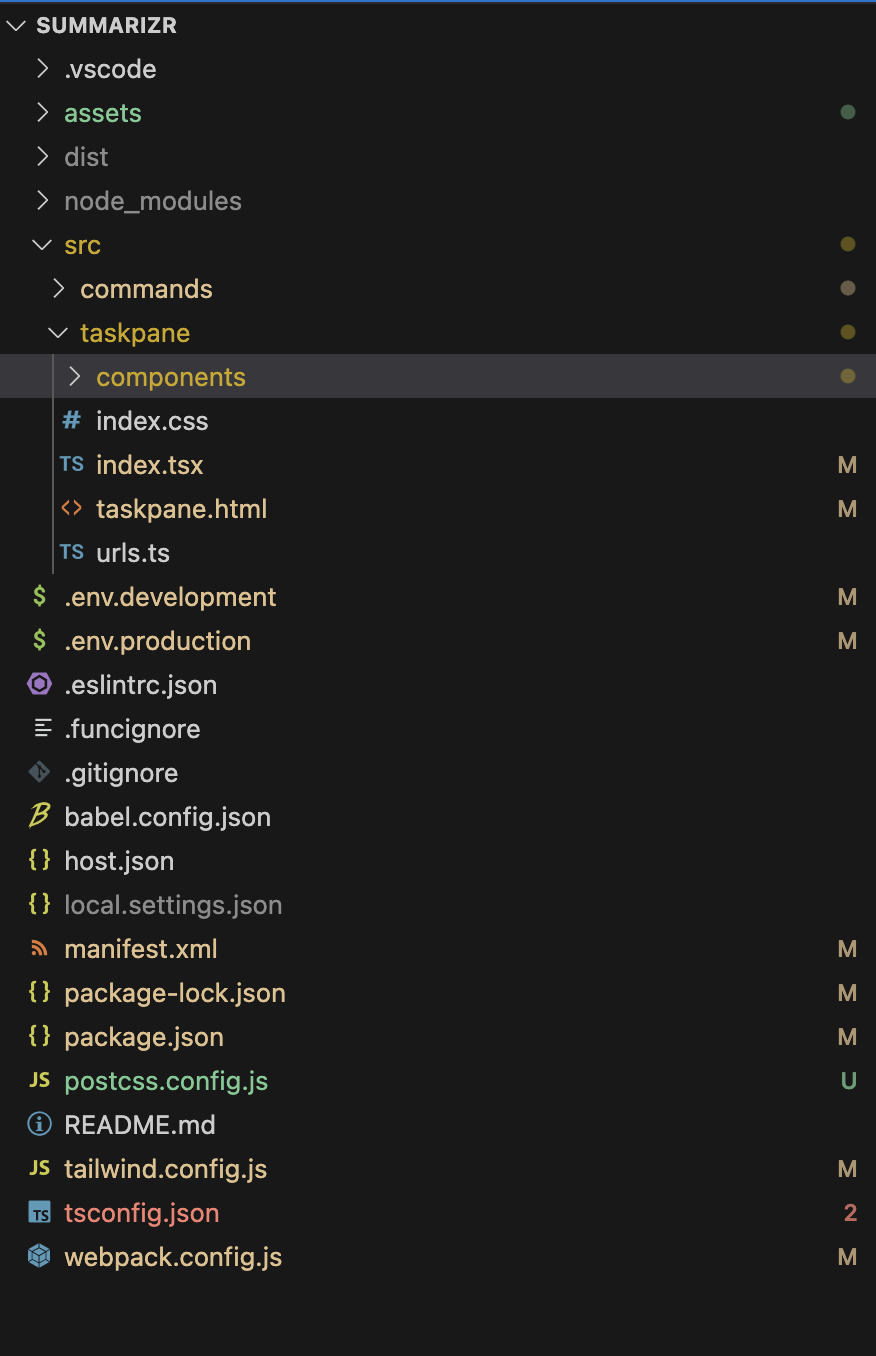
内容的提问来源于stack exchange,提问作者infodev
相关产品推荐
相关产品推荐


