
Flutter用flutter_tflite构建APK/App Bundle时遇android:attr/lStar缺失错误

我使用flutter_tflite: ^1.0.1开发实时目标检测应用,模拟器测试一切正常,但构建APK和App Bundle时出现以下错误:
Execution failed for task ':flutter_tflite:verifyReleaseResources'.
A failure occurred while executing com.android.build.gradle.tasks.VerifyLibraryResourcesTask$Action
Android resource linking failed
ERROR: /Users/baka/Documents/Application/llenn/myappku/build/flutter_tflite/intermediates/merged_res/release/mergeReleaseResources/values/values.xml:194: AAPT: error: resource android:attr/lStar not found.
相关配置文件
app/build.gradle
plugins {
    id "com.android.application"
    id "kotlin-android"
    // The Flutter Gradle Plugin must be applied after the Android and Kotlin Gradle plugins.
    id "dev.flutter.flutter-gradle-plugin"
}

android {
    namespace = "com.example.myappku"
    compileSdk = 35
    ndkVersion = flutter.ndkVersion

    compileOptions {
        sourceCompatibility = JavaVersion.VERSION_1_8
        targetCompatibility = JavaVersion.VERSION_1_8
    }

    kotlinOptions {
        jvmTarget = JavaVersion.VERSION_1_8
    }

    signingConfigs {
        release {
            keyAlias = "sipisang"
            keyPassword = "Bakachi2024"
            storeFile = file("/Users/baka/Documents/aplikasi/keystore/sipisang.jks")
            storePassword =  "Bakachi2024"
        }
    }

    defaultConfig {
        // TODO: Specify your own unique Application ID (https://developer.android.com/studio/build/application-id.html).
        applicationId = "com.example.myappku"
        // You can update the following values to match your application needs.
        // For more information, see: https://flutter.dev/to/review-gradle-config.
        minSdk = 23
        targetSdk = flutter.targetSdkVersion
        versionCode = flutter.versionCode
        versionName = flutter.versionName
    }

    buildTypes {
        release {
            // TODO: Add your own signing config for the release build.
            // Signing with the debug keys for now, so `flutter run --release` works.

            minifyEnabled true
            // useProguard true
            shrinkResources true

            proguardFiles getDefaultProguardFile('proguard-android.txt'), 'proguard-rules.pro'
            signingConfig = signingConfigs.release
        }
    }

    aaptOptions {
        noCompress 'tflite'
        noCompress 'lite'
    }
}

flutter {
    source = "../.."
}
gradle-wrapper.properties
distributionBase=GRADLE_USER_HOME
distributionPath=wrapper/dists
zipStoreBase=GRADLE_USER_HOME
zipStorePath=wrapper/dists
distributionUrl=https\://services.gradle.org/distributions/gradle-8.3-all.zip
settings.gradle
pluginManagement {
    def flutterSdkPath = {
        def properties = new Properties()
        file("local.properties").withInputStream { properties.load(it) }
        def flutterSdkPath = properties.getProperty("flutter.sdk")
        assert flutterSdkPath != null, "flutter.sdk not set in local.properties"
        return flutterSdkPath
    }()

    includeBuild("$flutterSdkPath/packages/flutter_tools/gradle")

    repositories {
        google()
        mavenCentral()
        gradlePluginPortal()
    }
}

plugins {
    id "dev.flutter.flutter-plugin-loader" version "1.0.0"
    id "com.android.application" version "8.1.4" apply false
    id "org.jetbrains.kotlin.android" version "2.0.21" apply false
}

include ":app"
android/build.gradle
allprojects {
    repositories {
        google()
        mavenCentral()
    }
}

rootProject.buildDir = "../build"
subprojects {
    project.buildDir = "${rootProject.buildDir}/${project.name}"
}
subprojects {
    project.evaluationDependsOn(":app")
}

tasks.register("clean", Delete) {
    delete rootProject.buildDir
}
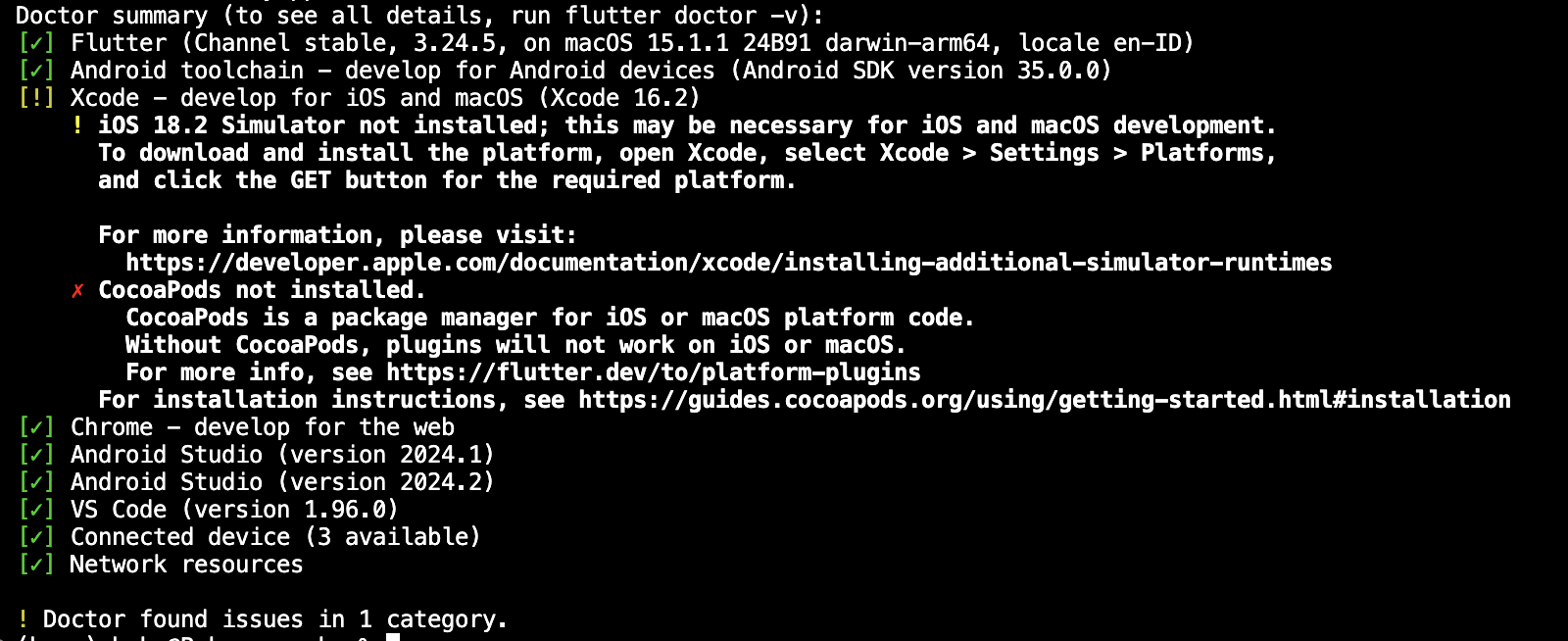
flutter doctor结果
这个错误是因为flutter_tflite: ^1.0.1依赖的AndroidX库版本与项目compileSdk不匹配,android:attr/lStar是Android 12L(API 32)及以上才新增的属性,老旧版本的flutter_tflite未适配高版本compileSdk。可按以下方案解决:
方案1:强制统一AndroidX库版本
修改android/build.gradle中的subprojects块,强制所有子模块使用适配高compileSdk的AndroidX库版本:
subprojects {
    project.evaluationDependsOn(":app")
    project.android {
        if (project.hasProperty('android')) {
            compileSdkVersion 35
            defaultConfig {
                minSdkVersion 23
            }
            configurations.all {
                resolutionStrategy {
                    force 'androidx.appcompat:appcompat:1.6.1'
                    force 'androidx.core:core-ktx:1.12.0'
                }
            }
        }
    }
}
方案2:迁移到官方维护的TFLite插件
flutter_tflite已停止维护,建议替换为TensorFlow官方提供的tflite_flutter插件,兼容性和稳定性更好:
- 修改
pubspec.yaml中的依赖:dependencies: # flutter_tflite: ^1.0.1 tflite_flutter: ^0.10.1 tflite_flutter_helper: ^0.4.0 # 可选,提供模型推理辅助工具 - 替换原有flutter_tflite的调用代码为tflite_flutter的API,官方文档有完整迁移指引。
方案3:降低compileSdk版本
如果暂时不想调整依赖,可将app/build.gradle中的compileSdk = 35改为compileSdk = 31,避开lStar属性的版本要求,但可能影响其他新API的使用。
内容的提问来源于stack exchange,提问作者llenn


